
Reduce video size on iPhone
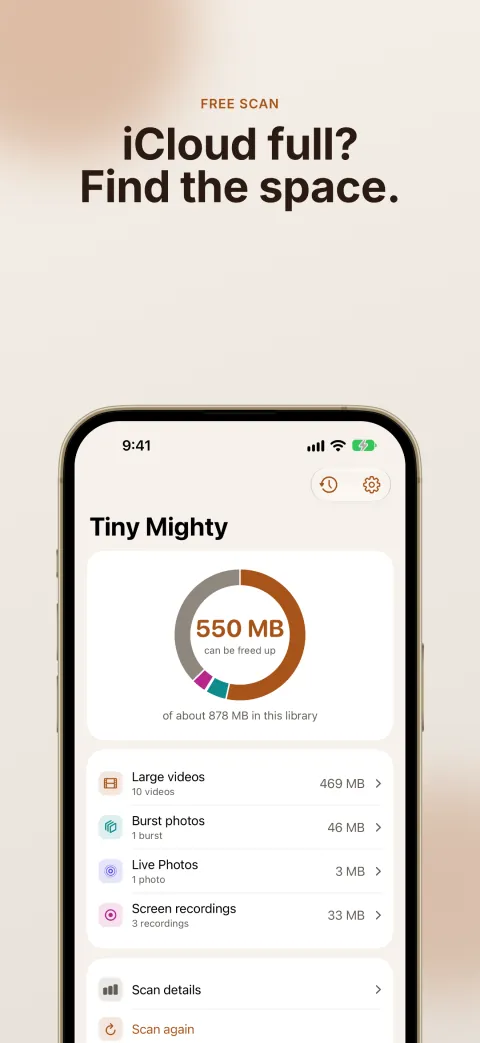
Tiny Mighty is a video compressor for the videos already in your photo library. It finds your large videos, makes a smaller copy of each one you choose, and lets you compare the two. Every original stays until you confirm the delete.


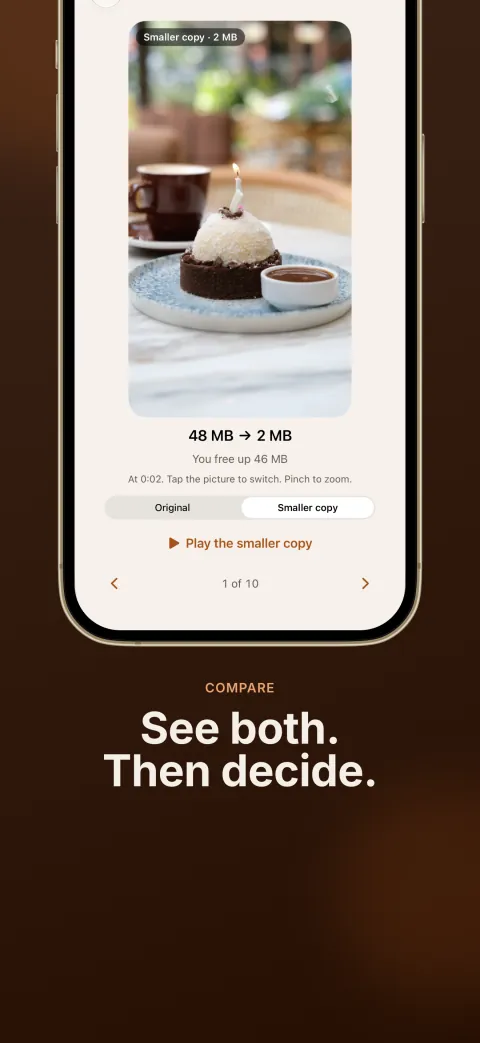
Same video, 46 MB smaller. This is a frame at 0:02 of a sample video, as Compare in Tiny Mighty shows it. In one real run on our own iPhone, five videos went from 9.9 GB to 2.2 GB. Every library is different, so the free scan measures yours first.
Get Tiny Mighty on the App Store
How it works
1. Scan. See how much space your library can give back. The scan is free.
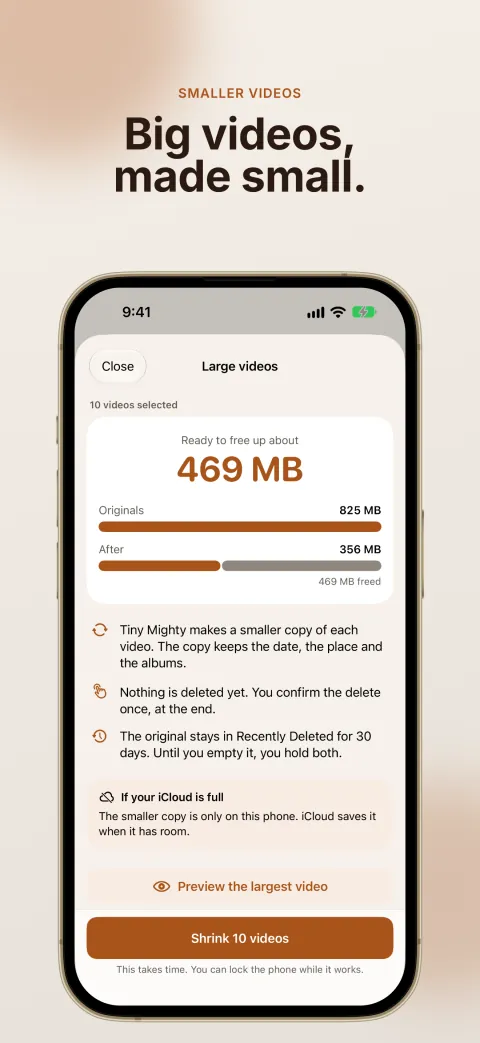
2. Preview. Tap Preview on a large video. Tiny Mighty makes 4 seconds of it smaller and shows you the same moment from the original and from the smaller copy. The preview is free.
3. Make smaller copies. Choose the videos, and Tiny Mighty makes a smaller copy of each one. The copy keeps the date, the place and the albums of the original.
4. Compare. Tap Compare the originals and the copies to see the same moment from each original and its copy. Tap the picture to switch, and pinch to zoom. If you don't want the copies, tap Keep the originals.
5. Delete the originals. On the home screen of Tiny Mighty, tap Delete. iOS asks you to confirm once, then moves each original to Recently Deleted.
What Tiny Mighty checks
Tiny Mighty checks each copy before it lets you delete the original. The copy has to be smaller, just as long as the original, and keep the sound and the color.
The smaller copy is not identical to the original. Its picture is smaller, and each second of video takes less storage. Compare the two on your own videos, then decide.
Which videos it leaves alone
A video your camera records at the default setting is already small, so Tiny Mighty doesn't offer it. It only offers a large video when the copy frees up 25 MB or more. Cinematic, spatial and slo-mo videos are left as they are.
Get the space back
Your storage goes up before it goes down, because each copy is made before anything is deleted. iOS keeps each deleted original in Recently Deleted for 30 days, and it still uses your storage during that time.
To get the space back, open Photos → Collections → Utilities → Recently Deleted, then tap Select → Delete All. Delete All removes every item in that album, so look through it first. iCloud can take a day to show the space.
Price
Making large videos smaller needs a purchase. You do not pay for the scan, burst photos or screen recordings.
It's $14.99 a year, or $29.99 once. There is no trial. The free scan and the preview show you what you get before you pay. Prices are in US dollars, and the App Store shows the price for your country. Tiny Mighty runs on iPhone, iPad and Mac.
Get Tiny Mighty on the App Store
Other ways to make a video smaller
You can also change the Camera settings for new videos, or make one smaller copy at a time with iMovie or Shortcuts. Read How to compress a video on iPhone for the steps.